
Popout · Create on iPhone
Choose a 3D photo or a 3D figurine for the result you want
Choose a 3D photo to keep the original moment with a limited depth effect. Choose a figurine to turn the subject into a stylized model you can rotate through 360°. A chibi preview is the flat image between the original and the model.
Compare the output, not just the word “3D”
| Question | 3D photo | Chibi preview | 3D figurine |
|---|---|---|---|
| What is created? | A depth scene around the original photo. | A generated flat character image. | A generated, textured digital model. |
| How far can I look? | Limited movement around the original view. | One image view. | Rotate around the model in 360°. |
| Where is it processed? | Locally on iPhone. | Cloud processing after consent. | Cloud processing after consent. |
| What is the cost? | Free creation. | Allowances and rerolls shown in App. | Points shown before you build. |
| How can I use it? | Save, export a motion video or share an encrypted browser link. | Judge the character before building. | View, place in AR or export a turntable video. |
| What should I inspect? | Subject edges, filled background and endpoint cropping. | Faces, markings and included subjects. | Shape and colors on the side and back. |
The same corgi, two creation paths


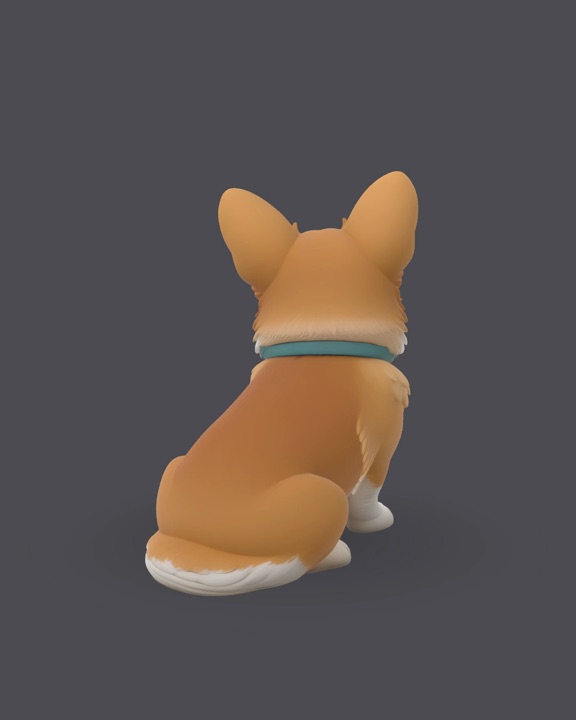
A generated back view contains new decisions
Depth-photo background filling estimates areas exposed by small view shifts. Figurine creation generates surfaces around the subject. Both can make mistakes where the source has no visible evidence. A model’s back view should be judged as generated content, not a recovered photograph.
The family example in the figurine walkthrough shows a yellow dress changing to red at the back. Our case review keeps both useful outputs and visible defects.
Start with the memory you want to keep
- Keep a person in the original place and setting: make a 3D photo.
- Build a small digital character to turn around: follow the figurine workflow.
- Share a moving clip: either workflow can export video, but a video has a fixed sequence of views.
Popout’s figurines are digital. No STL export, physical printing or manufactured delivery is offered. Check current point rules in the App before building.