
Popout · Create on iPhone
Choose a photo with room for the depth effect
Start with a clear subject separated from the background, then check the full movement. Space around the subject matters because a scene can look fine at the center and crop a head or shoe at an endpoint.
Check the source before processing
- Look for a visible outline: compare the subject with the background, especially around hair and fur.
- Leave space around the head, ears and feet. A close crop gives the moving view less room.
- Inspect overlaps. Hands, grouped people and narrow gaps can complicate the subject edge.
- Treat these as starting points. Run the scene and inspect both endpoints before deciding it works.
What five recorded scenes actually showed
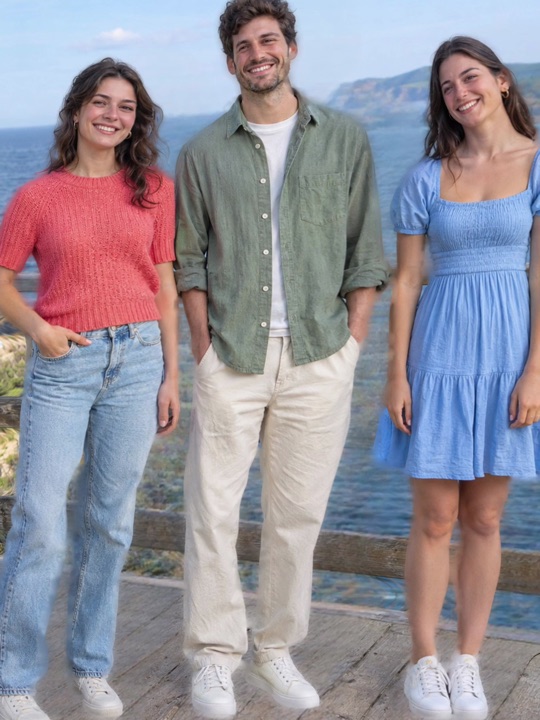
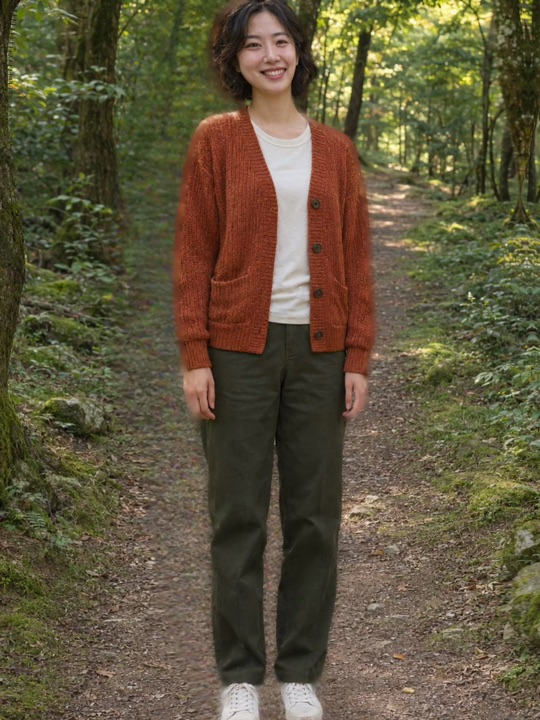
All five inputs were synthetic marketing photos. They were processed by the same physical iPhone App batch, with both medium and gentle exports. This is a small case review; it does not isolate which source-image property caused a defect.
| Scene | Observed boundary | What to check on your own photo |
|---|---|---|
| Garden corgi | Ears, body and paws remained inside both endpoints; a slight edge halo remained. | Fur edges and space around ears and paws. |
| Mother and child | Head framing improved; the mother’s sole still approached the bottom edge. | The lowest foot as well as the tallest head. |
| Three coastal friends | A man’s head and some shoes were still cropped. | Every person at both ends of the movement. |
| Lakeside couple | Shoes approached or crossed the bottom boundary. | Feet near the foreground edge. |
| Forest portrait | Hair and shoes approached or crossed the frame; a tree edge showed segmentation jaggies. | Background edges as well as the subject. |
Adjust the movement, then decide
Reduce the amplitude and replay the full swing. A gentler movement improved framing in this batch, but did not eliminate every human crop. If the problem remains, choose a wider source photo rather than assuming a centered preview proves the whole scene is safe.
The five-case evidence page includes paired endpoint frames and the capture method. It reports visible observations without a success-rate claim.